FREE · FROM HONEST APOLOGIST
Nicaea Library
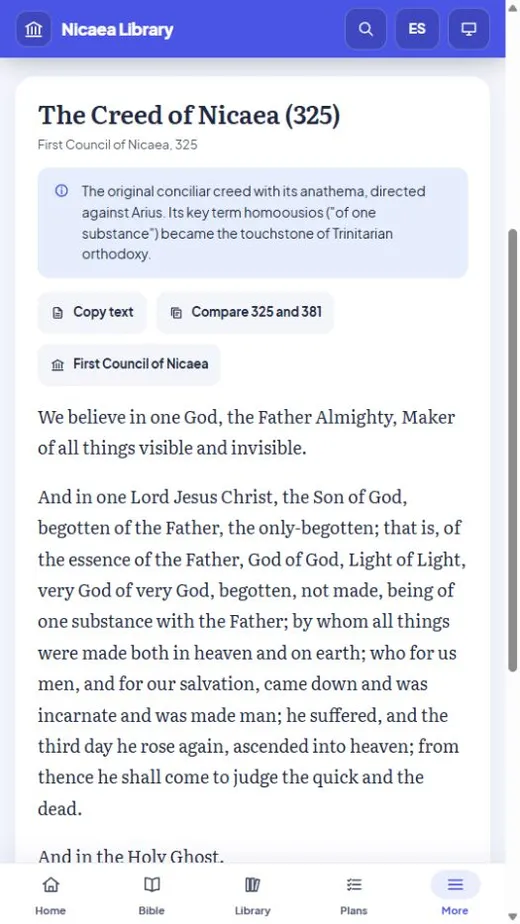
A complete theological research library, in English or Spanish. Fifteen full Bibles, the Septuagint among them, with the Greek and Hebrew underneath, the Church Fathers on every verse, three great commentaries, classic works from the Apostolic Fathers to the Reformation, the creeds and councils, and a two-year historical theology curriculum — every text public domain or openly licensed, every source named. No account needed, no subscription, no tracking.
See it in action
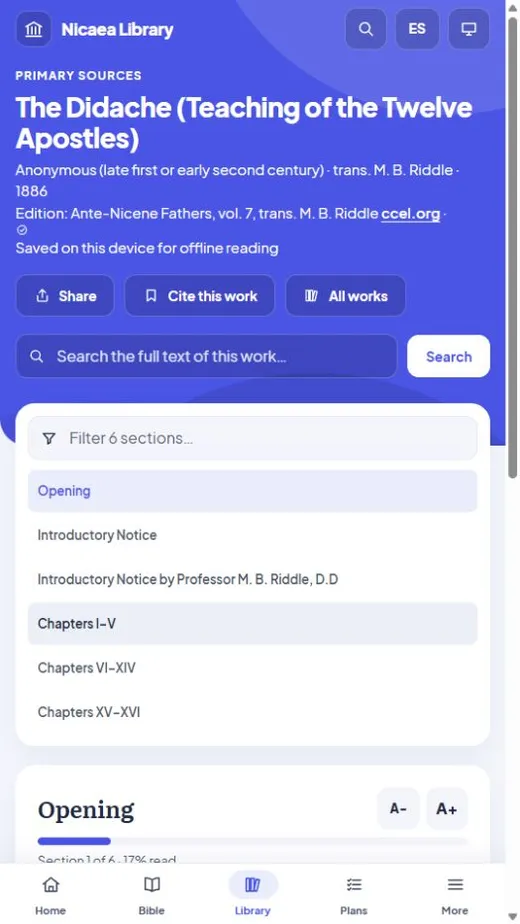
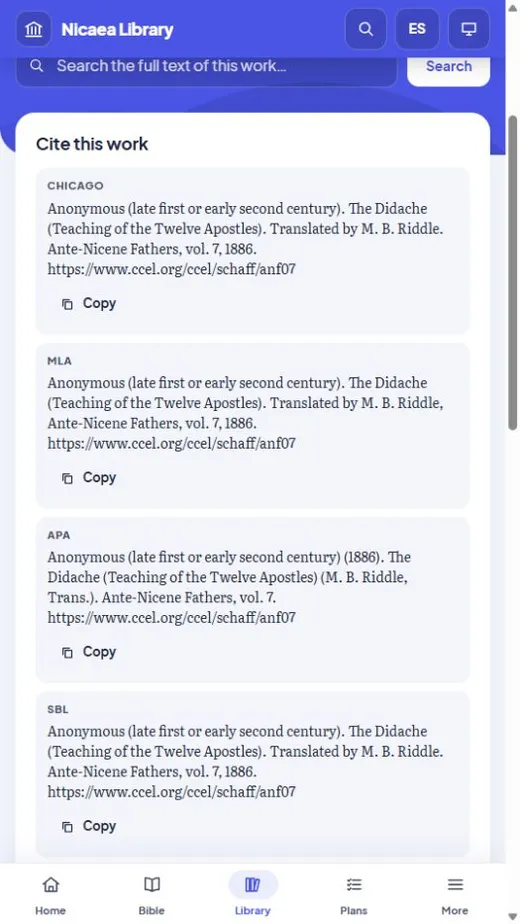
Two ways to use it
Read it in your browser
Nothing to install. Works on any computer, tablet, or phone.
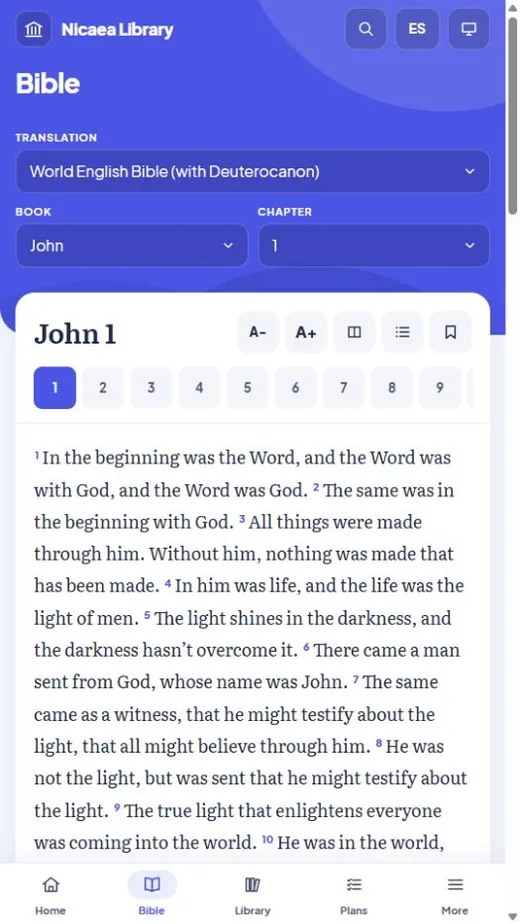
- All 15 Bibles, all 414 works in the library, the creeds, councils, and lexicons
- Study any verse: cross-references, the Church Fathers, three commentaries, and the Greek and Hebrew word by word
- The whole interface in English or Spanish (español)
- Twenty-three reading plans, from the Bible in a year to Advent and Holy Week, and Scripture read day by day with the homilies of Chrysostom and Augustine, a daily verse in English and Spanish, and your own colours and theme
- Jump to any verse by typing a reference, or search the whole Bible
- Search everything at once — and the full text of all 414 works on demand
- Bookmarks, highlights, notes and citations, all exportable
- The full eight-course curriculum, with your progress tracked
- Works offline after your first visit
Install it on Windows
The full research environment, entirely offline.
- The 15 Bibles, 59 classic works and every study tool, bundled on your machine
- Import your own PDFs and books and search them alongside the rest
- One permanent index across documents, notes, Scripture, and readings
- Markdown notes with backlinks, research projects, verified quotations
- An optional AI assistant you run yourself — off by default
Checked and clean. Every release goes to VirusTotal’s antivirus engines; the last one was scanned by sixty-seven and flagged by none. See this version’s VirusTotal report →
New: study any verse
Versions 1.5 to 1.8 add a full set of Bible study tools beside every verse, in both editions — and the Septuagint, the Greek Old Testament the apostles and the Fathers read, in Greek and in English.
The Fathers on every verse
The Catena Aurea of St Thomas Aquinas on the Gospels, and every homily and commentary in the library on a passage — Chrysostom, Augustine and the rest — opening the book at that very place.
Three great commentaries
John Calvin, Matthew Henry and George Leo Haydock, verse by verse, each labelled with its tradition (Reformed, English Presbyterian, Catholic) so you always know whose reading it is.
The Greek and Hebrew underneath
Every verse word by word: each English phrase over the original behind it, with its grammar, its dictionary entry, how the Bible translates it, and every place it is used. Every Old Testament verse shows the Septuagint’s Greek too, found for you even where it numbers the verse differently.
Search the original languages
Find a word by its Strong’s number, the Greek or Hebrew, or its meaning — and narrow it by grammar: every aorist imperative in Romans, every Hiphil verb in Genesis.
Passage guides
One page for any passage: its key words, related passages, what the Fathers and commentators said, and the people, places and topics in it.
People, places and topics
Every person and place named in the Bible and Torrey’s classic topics, each with every verse — and, where Christians read a passage differently, each tradition’s reading.
A look inside
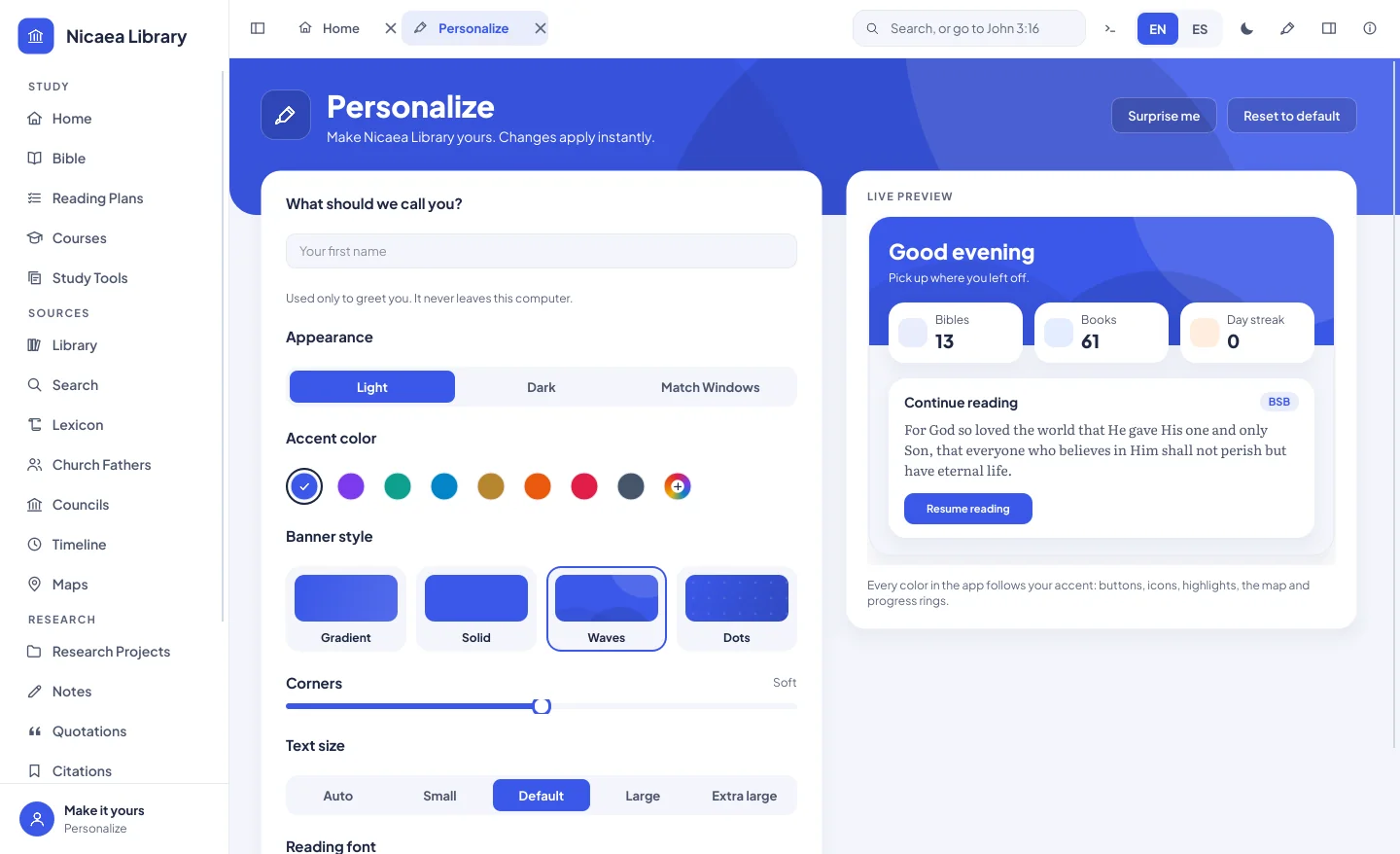
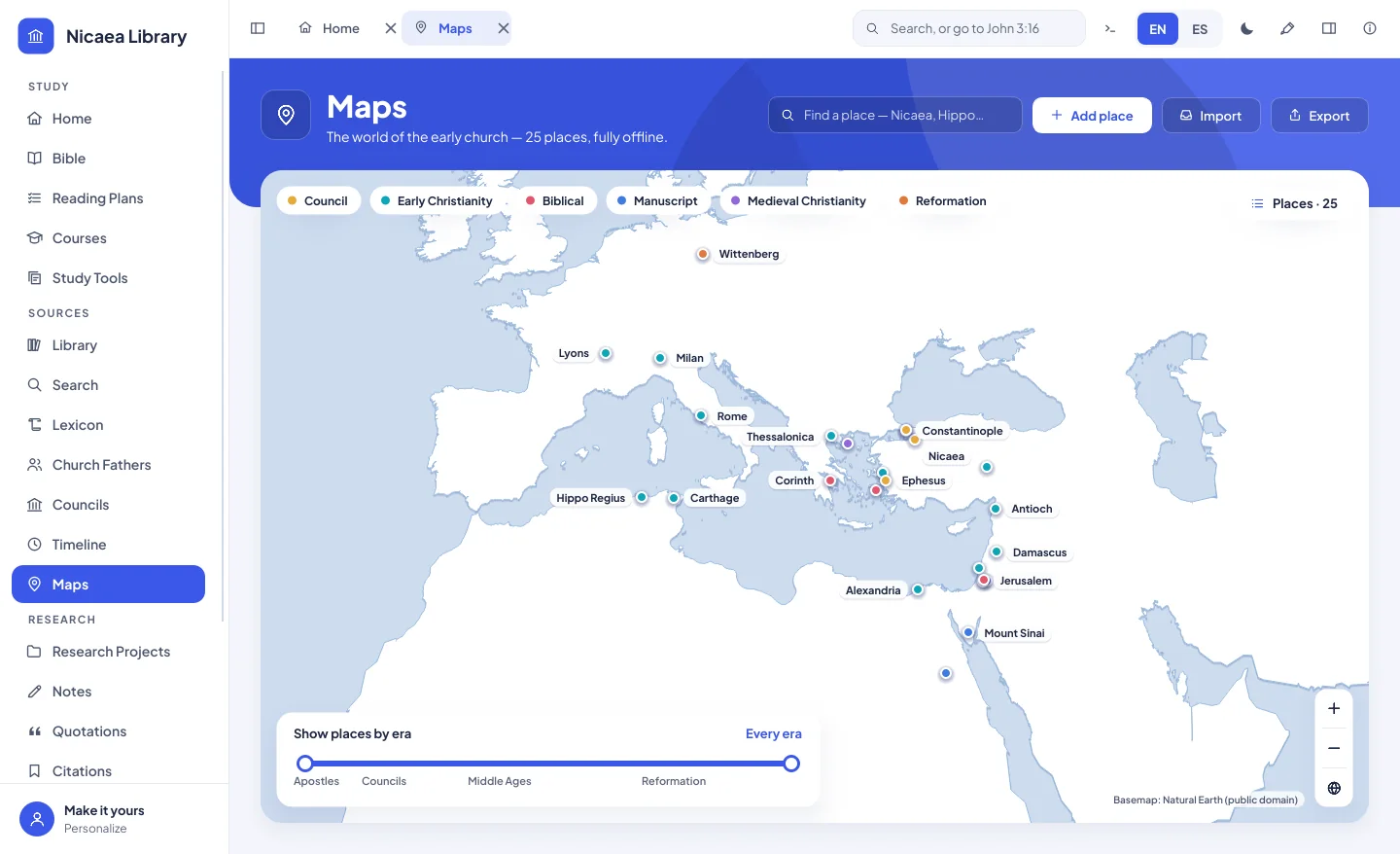
Screenshots from the Windows edition, version 1.3 — in light and dark, with whatever accent colour you choose.
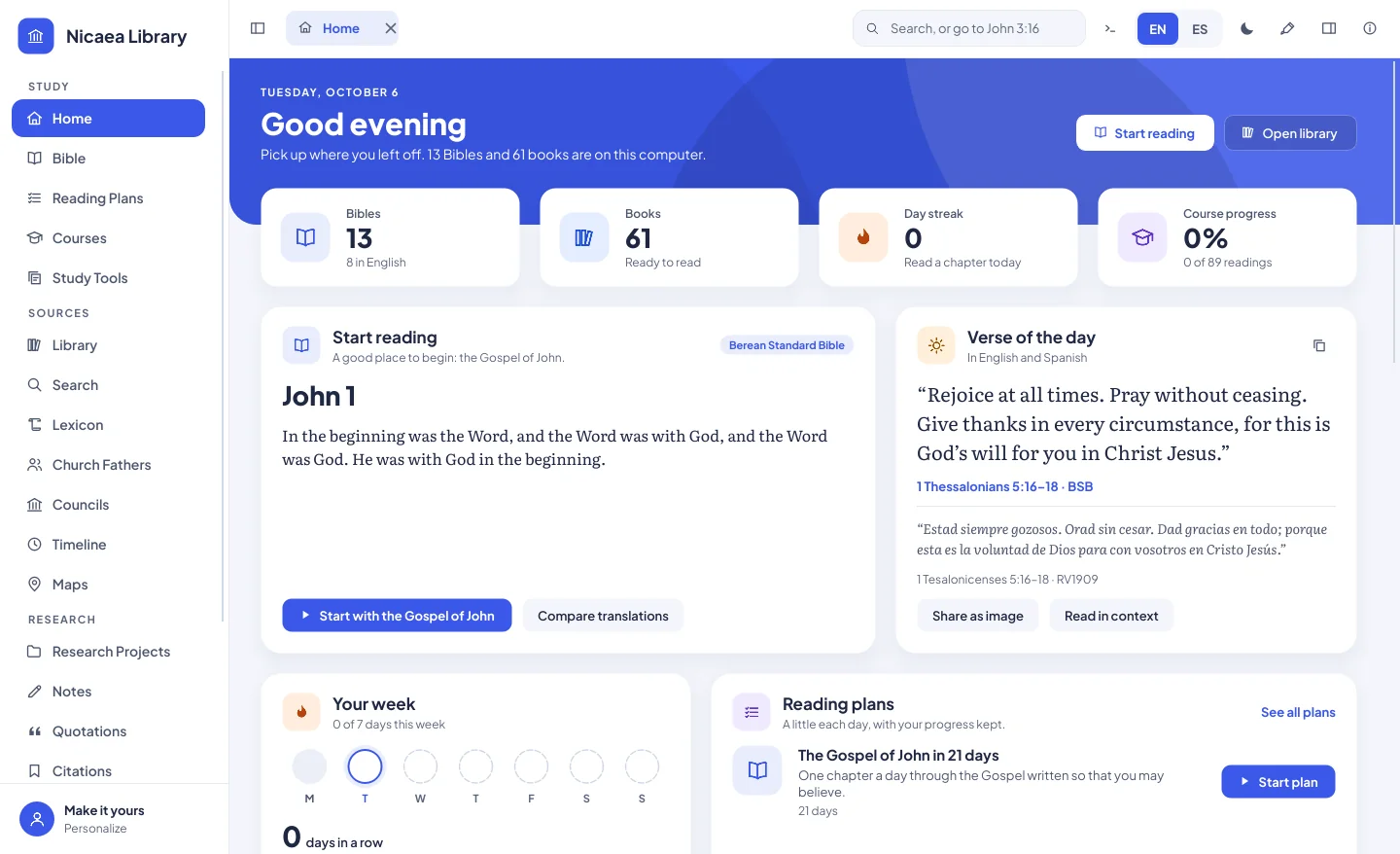
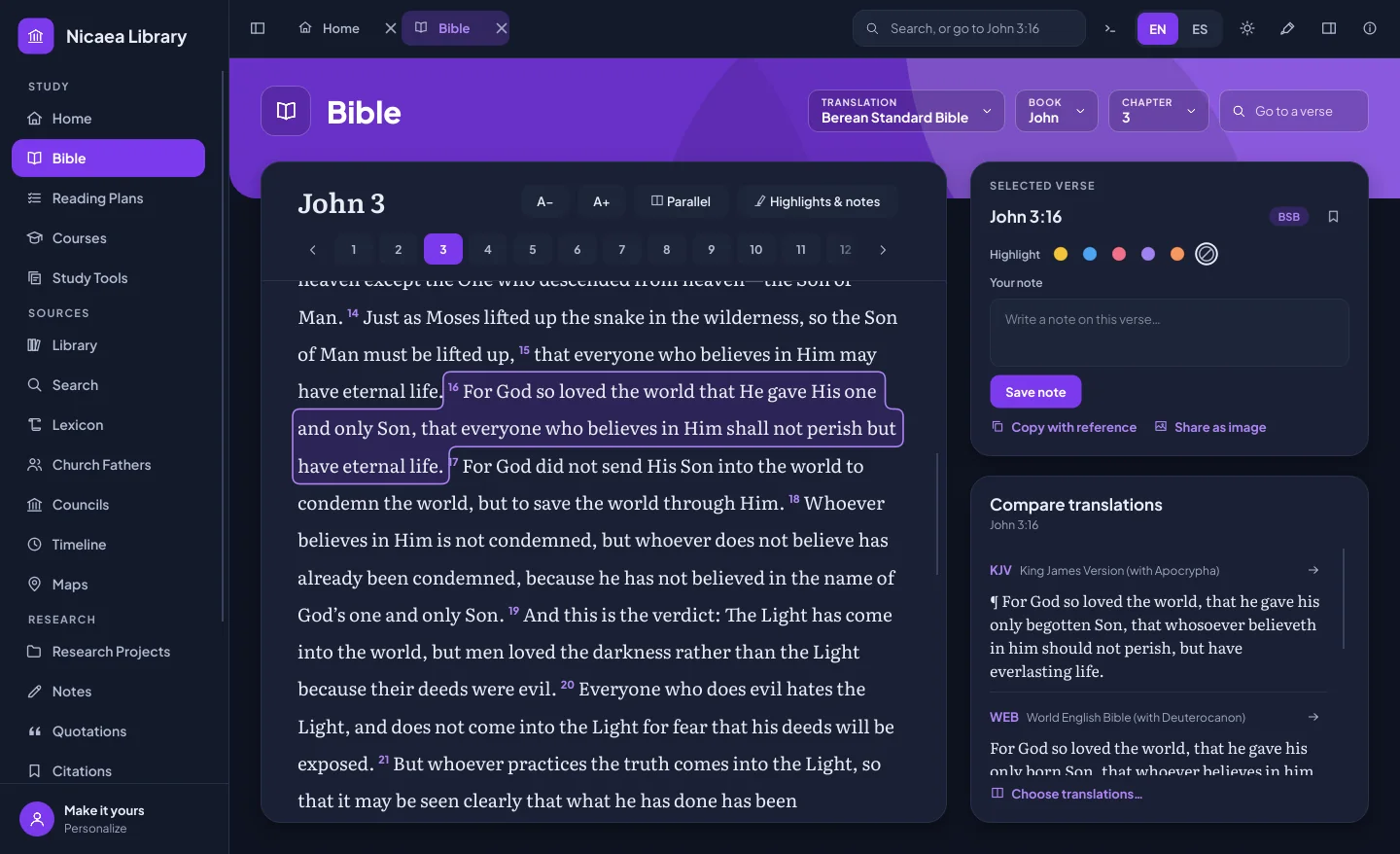
What’s inside
15 Bibles, English, Spanish and Greek
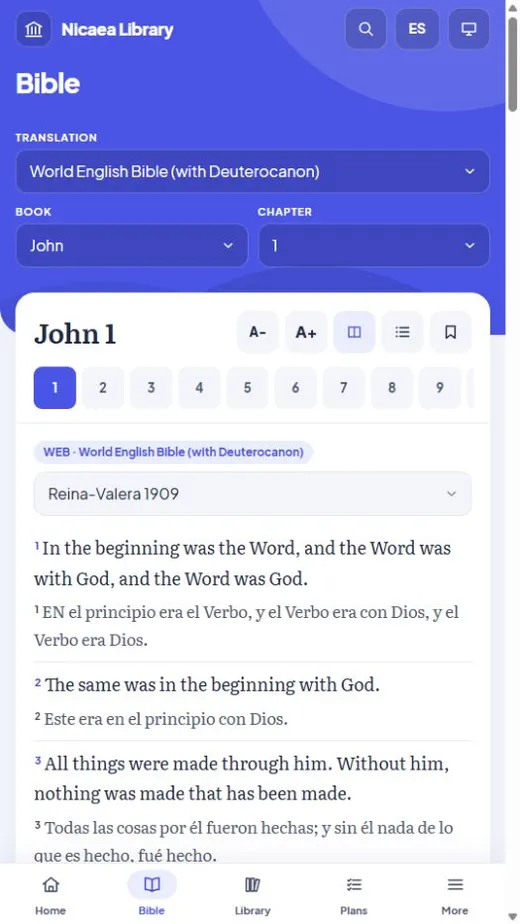
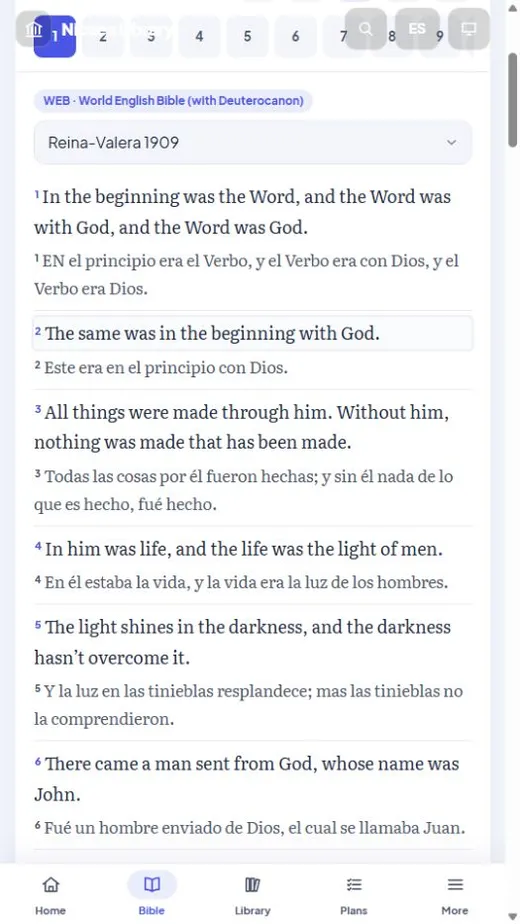
The Berean Standard Bible, World English Bible, King James Version, Literal Standard Version and more, five Spanish Bibles including the Reina-Valera 1909, and the Septuagint in Greek and in Brenton’s English — with notes, highlights, bookmarks, and references in either language (“John 3:16” or “Juan 3:16”). Ten more English translations are a free optional download in the Windows app.
Fathers to the Reformation
414 complete works in the browser, 59 of them bundled in the Windows app: the Apostolic and Ante-Nicene Fathers, Eusebius, Athanasius, Chrysostom, Augustine, Luther, Calvin, Hus and the Hussites, Bede, Schaff’s Creeds, the devotional classics, and Spanish classics from Teresa of Ávila, Luis de León and John of the Cross — plus optional downloads of the rest of the Fathers, Schaff’s History, Harnack, and Aquinas’s Summa in the Windows app.
Original languages
Every verse word by word in Greek or Hebrew, with grammar and every place a word is used; a search of the original languages by word and grammar; and Strong’s dictionaries — 14,197 entries.
Study tools
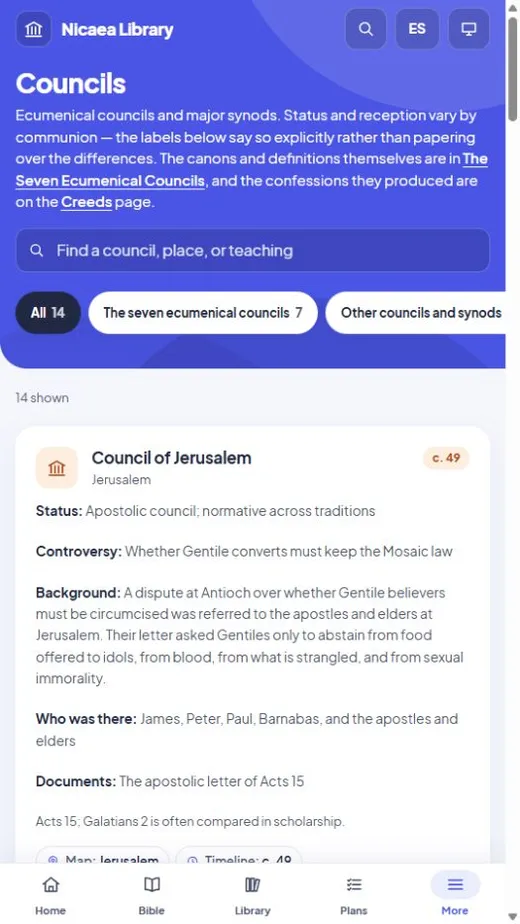
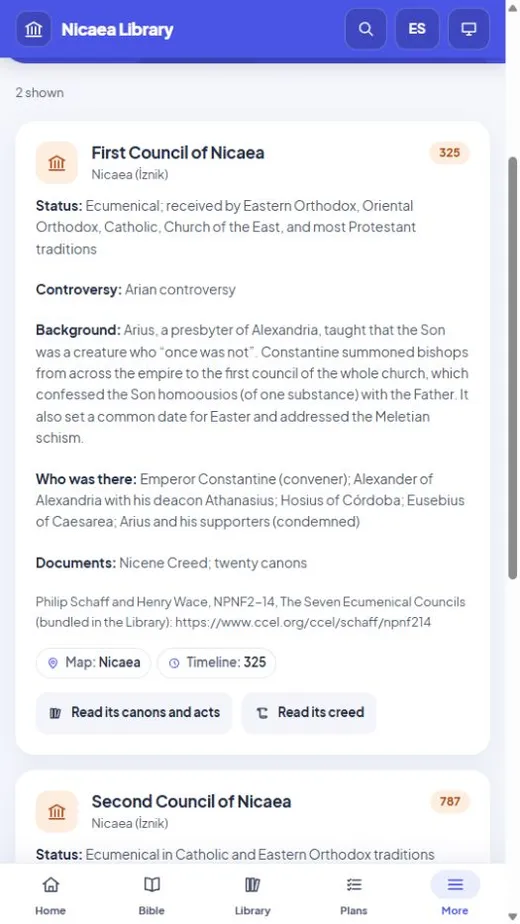
Cross-references, the Fathers and three commentaries on every verse, passage guides, pages for every person, place and topic in the Bible, flashcards, a glossary, the classic heresies, the creeds, a timeline and map, and an eight-course curriculum.
Your own research
Import your own PDFs and books, search every word you own at once, keep linked notes and research projects, and format citations in Chicago, MLA, APA or SBL.
Yours, offline
Everything lives in one folder on your machine. No account needed and no internet once it’s installed, except for the commentaries, which download a chapter the first time you read it. Sign in with Google only if you want sync with nicaealibrary.com.
Which edition has what
| In your browser | Windows app | |
|---|---|---|
| 15 Bibles in English, Spanish and Greek | Yes | Yes |
| Whole interface in English or Spanish | Yes | Yes |
| Light or dark, any accent colour, text size | Yes | Yes |
| Twenty-three reading plans (six with the Fathers), verse of the day, reading streak | Yes | Yes |
| Compare a verse across translations | Yes | Yes |
| Classic works, Fathers to the Reformation and after | 414 | 59, and the rest of the 414 as a free download |
| Cross-references, the Fathers and three commentaries on every verse | Yes | Yes |
| The Greek and Hebrew word by word, and a search by grammar | Yes | Yes |
| Passage guides, and every person, place and topic in the Bible | Yes | Yes |
| Ten more English Bibles and Harnack’s History of Dogma | No | Optional download |
| Creeds, councils, Strong’s lexicons | Yes | Yes |
| Flashcards, glossary, timeline, maps | Yes | Yes |
| Search inside a work | Yes | Yes |
| Bookmarks, highlights and notes | Yes | Yes |
| Citations in Chicago, MLA, APA, SBL | Yes | Yes |
| Eight-course curriculum with progress | Yes | Yes |
| Search everything at once | Reference material instantly; the Bible and all 414 works on demand | One permanent index over everything |
| Import your own PDFs and books | No | Yes |
| Research projects and verified quotations | No | Yes |
| Optional local AI assistant | No | Yes |
| Where your work is stored | This browser (exportable) | A folder you control |
| Runs on Mac, Linux, phones | Yes | Windows only |
Installing it — and the warning you’ll see
Windows will show a blue screen the first time. That’s expected.
Nicaea Library is independent software published without a commercial code-signing certificate, which costs several hundred dollars a year. Because of that, Microsoft SmartScreen shows “Windows protected your PC” the first time you run it. That message means the file is uncommon — not that anything harmful was found in it.
To continue: click More info, then Run anyway.
Don’t take our word for it
Two independent checks you can run yourself:
- The antivirus scan. Look this exact file up on VirusTotal, where dozens of antivirus engines check it — read the VirusTotal report.
- The fingerprint. Confirm the file you downloaded is byte-for-byte the file published here. Open PowerShell and run: Get-FileHash -Algorithm SHA256 "$env:USERPROFILE\Downloads\NicaeaLibrary-Setup.exe" It must print exactly this: a83b9bd059a93eccc972a3bf333112c63e2f80a1e7e24d9567f0fbe97c40ed38 If it doesn’t match, delete the file and download it again.
What it does with your data
Your notes, highlights and imported documents stay in a single folder you control. There is no account unless you choose to sign in with Google to sync with nicaealibrary.com, and no analytics. The app contacts nicaealibrary.com for only two things, and sends nothing about you: a daily check for a new version (you can turn it off in Settings) and the commentaries, a chapter at a time the first time you read it. The optional AI assistant is switched off by default, and is built for free models you run yourself — there are no API keys and no per-use costs. A privacy setting blocks sending your documents to any remote service unless you deliberately turn it off.
Where the texts come from
Every bundled text is in the public domain or openly licensed (a few modern Bibles use Creative Commons licences that allow free sharing), and each one names its translator, edition and licence inside the app: the Bibles from eBible.org; the Fathers, councils and creeds from the Christian Classics Ethereal Library; Augustine, Josephus and many others from Project Gutenberg; the Spanish classics from Wikisource; Strong’s dictionaries from OpenScriptures; the cross-references from OpenBible.info; the Greek and Hebrew, and the people and places of the Bible, from STEPBible (Tyndale House, Cambridge); the English-order interlinear from the Berean Bible; the commentaries of Calvin and Matthew Henry and Torrey’s topics from the Christian Classics Ethereal Library, and Haydock’s from John Paul Wohlscheid’s transcription. The glossary, heresies, councils and timeline notes were written for this project.
Common questions
Is it really free? What’s the catch?
There isn’t one. It’s free, open source under the MIT licence, and there is nothing to buy inside it. Every text it ships is public domain or openly licensed, so there are no licence fees to pass on. If it helps your study you can support the project, but nothing is held back if you don’t.
Is there a Mac or Linux version?
Not yet — the installer is Windows 10 and 11 only. The browser edition at nicaealibrary.com runs on any operating system, including phones and tablets. It carries every one of the same texts and nearly all the same study tools; the comparison above says exactly what it does not do.
Do I need to be online?
The Windows app needs the internet only for a few things after installation: the three commentaries (each chapter downloads the first time you read it and is kept), the optional “More books” downloads, which fetch only when you click, and sync, if you choose to sign in. The browser edition caches itself as you read, so pages you have already opened keep working offline.
Does it send anything anywhere?
Nothing about you. There is no telemetry and no account unless you choose to sign in with Google to sync your notes and highlights between devices. The website counts visits anonymously, with no cookies. The Windows app checks nicaealibrary.com once a day for a new version (you can turn this off) and downloads commentary chapters as you read them. Your notes, highlights and imported files otherwise stay on your own device.
Why does Windows warn me about it?
Because it isn’t code-signed with a paid certificate, not because anything harmful was found. The section above explains the warning and gives you two ways to verify the file yourself.
Which translations are included?
Fifteen are built in. English: Berean Standard Bible, World English Bible, King James Version, American Standard Version, Douay-Rheims, Literal Standard Version, Young’s Literal, the Geneva Bible and Brenton’s translation of the Septuagint. Greek: the Septuagint. Spanish: Reina-Valera 1909, La Biblia en Español Sencillo, Palabra de Dios para ti, Open Nueva Biblia Viva and Santa Biblia libre para el mundo. Each is public domain or openly licensed, and each was checked against the historic creeds — two translations that weakened key verses on Christ’s deity were removed in version 1.3.2. Popular copyrighted versions such as the NIV, ESV, CEV and Reina-Valera 1960 can’t be given away in a free app, so they aren’t included.
I have an earlier version. Will updating keep my work?
Yes. Download the new installer and run it over the old version. Your notes, highlights, bookmarks and imported files stay where they are, and Nicaea Library makes a backup copy of your library database before it updates it.
How do I uninstall it?
Through Windows Settings › Apps, like any other program. Your library folder is left in place so nothing you wrote is lost; delete it yourself if you want it gone.
Version history
Every release, newest first. The same list is inside the app (About › Version history) and in the reading room’s About page. Updating keeps your notes, highlights and imported files.
Version 1.13.0November 5, 2026 · Painted covers Latest
- Every book has a painted cover: a public-domain painting, icon or engraving of its author or subject, about 290 works in all.
- Bible commentaries show the book they comment on, and each volume of the Fathers shows its own Father.
- A size control in the Library: a compact list, or small, medium or large covers. Each cover is credited in the book’s details.
- Fixed a rare crash after closing a book that was being read aloud with a Windows voice.
Version 1.12.0November 5, 2026 · Connections, and a livelier map
- New Connections page: every cross reference in the Bible on one map, or a chapter’s references traced to the books they point to, with their text beside it.
- Maps: follow Paul’s four journeys stop by stop, with the passage from Acts at each stop.
- Maps: “Where is it?”, a five-place quiz, and “Surprise me” to fly to a place at random.
- Fixed a rare crash when the Bible’s study panel closed while commentaries were downloading.
Version 1.11.2November 4, 2026 · Steadier
- Fixed a rare crash when a window or book closed just as something in it was about to update.
Version 1.11.1November 4, 2026 · Bibliography, and quotations in context
- Citations is now called Bibliography.
- “Read it in context” scrolls to the quotation in the book and highlights it.
- Long titles end in … instead of being cut off; imports from a web address no longer leave the download behind.
- Plainer BibTeX keys, and search suggests the common spelling first.
Version 1.11.0November 3, 2026 · Research, plans and study, filled out
- Research Projects have a task list, an editable outline and bibliography, and can gather the notes, quotations and citations they use.
- Right-click a passage in a book or a verse in the Bible to save it as a quotation, with its source filled in.
- Citations cites a Library book in one click, exports a whole bibliography and imports BibTeX or RIS.
- Reading plans keep a schedule (on track, behind, Catch up, a finish date), and Home shows what is due this week.
- Search the whole Bible, export or print your highlights and notes, and download commentaries for offline reading.
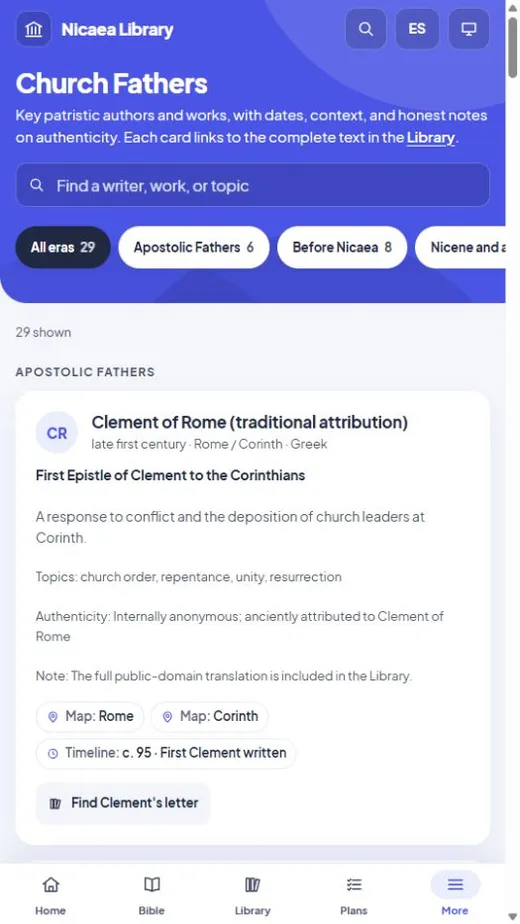
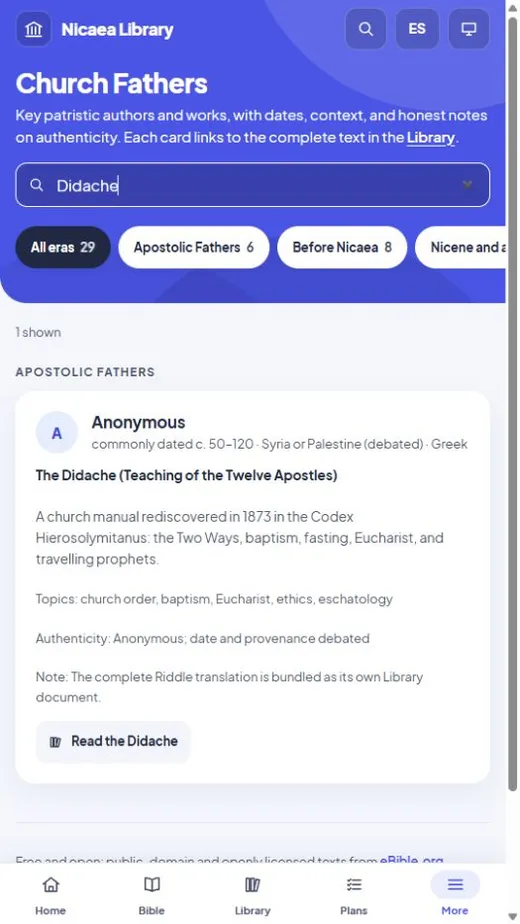
- Church Fathers show their words, major works and books in your Library; maps add Bible places and Paul’s journeys.
- Flashcards come back on a schedule, you can make your own, and the Creeds compare 325 with 381.
- Notes have folders, templates, clickable Bible references and export to Markdown or PDF.
Version 1.10.4November 3, 2026 · A sleep timer and new book covers
- Listening has a sleep timer: stop in 15, 30, 45 or 60 minutes, or at the end of the chapter.
- While you read, the reader shows about how many minutes are left in the chapter.
- Seven styles of book cover to choose from in Personalize: Classic, Modern, Minimal, Editorial, Academic, Library label and Typographic.
- Search no longer finds Project Gutenberg’s licence text inside books, and opening sections named after a printer are now called Title page.
Version 1.10.3November 3, 2026 · Books start with the book
- The 27 books from Project Gutenberg no longer open with its licence page or end with its long licence text. Each one starts at its own title page, on the website too. Your place in them, your bookmarks and the recorded voice all stay where they were.
Version 1.10.2November 3, 2026 · A better way to read and listen
- Books open one chapter at a time, with a contents list, Previous and Next buttons, and a Next button at the end of each chapter. Prefer one long scroll? Choose Whole book.
- Reading progress only goes forward: scrolling back no longer lowers the percentage read, and your exact place is still remembered.
- The Library shows English or Spanish books instead of mixing them (or All languages).
- Full listening controls: back and forward 15 seconds, previous and next chapter, a slider to move anywhere in the chapter, and Listen from here on any paragraph.
- A roomier reader: a wider page, more space around the text and slightly larger type.
Version 1.10.1November 3, 2026 · Find the recorded books
- The Library has a new Recorded voice filter that shows only the books you can listen to in the recorded voice. More books join it as they are recorded.
- The bottom of the sidebar shows the version you’re running, with a Check for updates link so you can look for a new version at any time. When an update is ready, the same link says Restart to update.
Version 1.10.0November 3, 2026 · Every book on the website, in the app
- More books now offers every book on nicaealibrary.com that the app doesn’t come with: more than 300, including the Spanish classics, Dante, Milton, Chesterton, the Doctors of the Church, the saints, Spurgeon, the philosophers, commentaries and prayer books. Download them all at once, or pick the ones you want.
- Downloaded books open with the website’s chapters and corrected titles, are searched with the rest of your library, keep your place in step with the website when you’re signed in, and play the recorded voice where a book has been recorded.
- When the website corrects a book, the app brings in the corrected text and keeps your notes and place. New Library categories for saints, commentaries, philosophy and Christian literature.
Version 1.9.9November 2, 2026 · Listen to the books
- Read aloud in the reader: the book is read from where you are, lighting the paragraph being read, chapter after chapter. Pause, or change the speed or voice as it plays.
- Books are being recorded in a natural, human-sounding voice, best-known first; the rest use a Windows voice for now. Listen remembers where you stopped.
- Bible references in the books are links: rest the pointer on one to see the verse, click to open the Bible.
- The details panel lists the author’s other books, and 14 more misread headings are corrected.
Version 1.9.8November 1, 2026 · Automatic updates
- The app now updates itself: a new version downloads in the background and installs when you close it.
- It installs for your Windows account, so updates no longer ask for administrator permission.
Version 1.9.7November 1, 2026 · Readable Bible text in dark mode
- Fixed: after switching between light and dark with the Bible closed, its verses could reopen as dark text on a dark page.
Version 1.9.6November 1, 2026 · Bible links, search every book, read aloud
- On the website, Bible references in the books (“Matt. v. 3”, “Rom. 8:28”) open the verse over the page.
- On the website, Search everything looks inside all the books at once, in a second or two.
- On the website, Listen reads a book aloud with your device’s own voices.
- About 100 more chapter titles corrected, among them Paley’s Natural Theology, whose chapters were misnumbered.
Version 1.9.5November 1, 2026 · Chapter titles corrected by hand
- About 1,600 chapter titles in 136 older scanned books were read and corrected by hand: misread letters, words broken across lines, page numbers stuck to titles, and wrong chapter numbers.
- In the app this covers the bundled books that had them, such as Wycliffe’s tracts and The Bondage of the Will; on the website, every book.
Version 1.9.4October 31, 2026 · Cleaner books
- Scanned title pages and printed tables of contents no longer break a book into near-empty pages (a page that said only “OF” or “BY”). Your place in each book is kept, and sync with the website stays in step.
- On the website, chapter titles in scanned books lose their page numbers and printers’ lines, and a book saved on your device is refreshed when it has been corrected.
Version 1.9.3October 31, 2026 · Books on the right shelves
- The Didache and the Apostolic Fathers are listed under Early Christian Writings, and The Pilgrim’s Progress under After the Reformation, matching the website.
- A cleaner Spanish Imitación de Cristo: Google’s scanning notice is gone from the start of the book. Your notes and your place in it are kept.
Version 1.9.2October 26, 2026 · Sections that fold away on phones
- On phones and tablets, a book’s list of sections folds away under a bar that shows where you are; the entries are larger and easier to read.
- Cleaner section lists: lines from printed tables of contents and stray page numbers no longer appear as sections. Your place in each book is kept.
Version 1.9.1October 25, 2026 · Read Scripture with the Fathers
- Read Scripture with the Fathers: six new reading plans pair each day’s passage with a Father’s homily on it. Matthew, Acts, Romans and Hebrews with St John Chrysostom; John and the Psalms with St Augustine. Twenty-three plans in all.
- Open the day’s passage, and the plan offers the homily next. On the website the homilies are in the Library; in the Windows app they come with the free Complete the Church Fathers download, or open on the website.
- Version 1.9.1 fixes an error on the Home page in 1.9.0 when picking up a comparison where you left off.
Version 1.8.1October 25, 2026 · More reading plans
- Ten new reading plans, seventeen in all: the Bible in a year, in canonical order or in the order events happened; the Psalms in a month; the four Gospels in 40 days for Lent; Advent; Holy Week; the Sermon on the Mount in a week; Paul’s letters and the Wisdom books in 30 days each; and the Deuterocanon in 40 days.
- Each day of the longer plans is about as long as the next, divided by verses rather than chapters.
Version 1.8.0October 24, 2026 · The Septuagint, and cleaner scanned books
- The Septuagint, the Greek Old Testament the apostles and the Fathers read, is built in: in Greek, and in Brenton’s English translation (1851). That makes fifteen Bibles.
- The Study card’s Hebrew tab shows each Old Testament verse in the Septuagint too, and Compare lines the Septuagint up with your Bible. The Septuagint numbers much of the Old Testament differently (Psalm 23 is its Psalm 22); every verse is matched for you.
- Highlights and notes made in the Septuagint stay on its own verses, and sync that way.
- Scanning errors cleaned up across 79 older books: page numbers and running heads no longer break chapters apart, margin marks and misread letters are gone, and Greek that had come through as codes is Greek again. Your place in each book is kept.
Version 1.7.0October 22, 2026 · Commentaries, and searching the Greek and Hebrew
- The Study card’s Commentary tab adds three great commentaries, verse by verse: John Calvin (Reformed), Matthew Henry (English Presbyterian) and George Leo Haydock (Catholic, with the Deuterocanon), each labelled with its tradition. They are in the passage guide too.
- Search the Greek and Hebrew by Strong’s number, the original word, its transliteration or its English meaning, and narrow it by grammar — every aorist imperative in Romans, every Hiphil verb in Genesis.
Version 1.6.0October 22, 2026 · Passage guides, topics, and the Greek under the English
- Passage guide: one page for any passage, with its key Greek or Hebrew words, related passages, the Catena Aurea, the homilies and commentaries on it, and the people, places and topics in it.
- The Greek and Hebrew tab now starts in English order: the verse as the Berean Standard Bible words it, each phrase over the original words behind it. Click a phrase for its word, grammar and every place it is used.
- New Topics page: every person and place named in the Bible, and Torrey’s 600 classic topics, each with every verse. Where Christians read a passage differently, the page says how each tradition understands it.
Version 1.5.0October 22, 2026 · Study a verse: cross-references, the Fathers, Greek and Hebrew
- Select any verse and open the new Study tabs beside it. Cross-refs lists related passages elsewhere in the Bible (from OpenBible.info), with their words, and takes you there in one click.
- Fathers shows what the Church Fathers said on the verse: for the Gospels, the Catena Aurea — St Thomas Aquinas’s chain of comments by Chrysostom, Augustine, Jerome and many others — and for every book, the homilies, commentaries and citations of the verse in the Library, oldest first. A click opens the book at that very place.
- Greek and Hebrew shows the verse word by word in the original language, with how each word sounds and what it means there. Click a word for its grammar, its Strong’s definition, how the Bible translates it, and every place it is used.
Version 1.4.5October 18, 2026 · Browse the Library by category
- The Library opens on categories, so you can go straight to the kind of book you want: Early and Later Church Fathers, Augustine, Creeds, councils and confessions, Medieval theology, Prayer and the spiritual life, Reformation, Hus and Wycliffe, Church history, The Jewish world of Jesus, and books in Spanish.
- Grid and List still show every book, and the books are now sorted by title unless you choose otherwise. A new sort, Oldest first, puts them in the order they were written.
Version 1.4.4October 18, 2026 · Classic covers, and news of updates
- Book covers now match the website’s classic design: a cloth binding with a gilt frame, an emblem for the collection, and a centred title.
- The app tells you when a new version is available, with a Download button. It checks nicaealibrary.com once a day and sends nothing about you; turn it off in Settings › Privacy, or check by hand from Settings › About.
Version 1.4.3October 18, 2026 · A quick tour
- New readers get a one-minute tour after the welcome: the Bible, the Library, reading plans, church history, courses, and search and sync, each with a real screenshot and a Try it button that takes you there.
- Take it again anytime from Settings › About or the command palette (Ctrl+K). The website has the same tour, on phones and computers.
Version 1.4.2October 17, 2026 · Your place within a chapter
- Sync now keeps your place within a chapter, not just the chapter: stop halfway down one here and nicaealibrary.com opens at about the same spot, and the other way round.
- Fixed a rare crash in a search box while the window was rearranging its pages.
Version 1.4.1October 15, 2026 · Simpler moving around
- No more tabs along the top: the sidebar takes you everywhere, and a page can no longer be closed by accident and lost.
- A book opens in the reader with Back at the top (or Ctrl+W), which returns you to the page you came from. Your place is saved.
- The app opens quickly even on the day of its weekly backup, which now runs in the background.
Version 1.4.0October 15, 2026 · Sign in and sync
- Optional: sign in with Google in Settings › Account & sync to keep your highlights, notes, bookmarks, reading plans, reading days, place in each book, course checkmarks and appearance the same here and at nicaealibrary.com.
- While you’re signed in, a highlight, note or bookmark marks the verse in every translation, as on the website. Signed out, nothing leaves your computer.
- Church Fathers: 101 Fathers, Doctors and saints, every one widely read and studied, with checked dates and sources.
- Restoring a backup is safer: the backup is checked first, swapped in all at once, and rolled back automatically if anything goes wrong.
Version 1.3.5October 7, 2026 · Books that read cleanly
- Every book is divided at its real divisions — works, books and chapters — with clean titles, and the contents list is grouped by work.
- Footnotes no longer interrupt the text: markers are small numbers, and each section's notes are gathered at its end (tap a number to jump there and back).
- Labels such as “Shorter” and “Longer” are quiet sub-headings, italics are shown as italics, and leftover index and link lists from the source files are gone.
Version 1.3.4October 7, 2026 · Metallic finishes
- Personalize › Metallic: silver, gold, rose gold, copper, titanium and graphite, on Windows and on the web.
- Metallic banners get a brushed finish and a slow, subtle sheen; buttons and the active page share the polish. Turn Shine off anytime — it also stays still when your device asks for less motion.
- Text stays readable on every metal: each shade is checked for at least 4.5:1 contrast.
Version 1.3.3October 5, 2026 · Licences and better imports
- About › Licences shows the licence of every component and text the app is built with.
- PDF import now uses Google’s PDFium engine — the same text quality, under a permissive licence.
- EPUB books can now be imported in the Windows app (protected EPUBs are refused with a clear message).
Version 1.3.2October 3, 2026 · Doctrinal review
- A full review of the app’s written content, in English and Spanish, against the Nicene Creed and the historic councils.
- Two Bibles removed: the Free Bible Version and the Versión Biblia Libre, whose renderings weaken key verses on Christ’s deity (such as John 5:18) and follow one denomination’s distinctive teachings. Thirteen Bibles remain.
- Spanish creeds corrected: the Son is “Dios de Dios, Luz de Luz”, begotten, not made; “procede” now refers only to the Holy Spirit, as in the original creeds.
- Council and timeline entries now say what each council taught, and many dates, names and descriptions were made more precise.
- Verse of the day and reading plans no longer show the wrong psalm when you read the Douay-Rheims, which numbers the Psalms differently.
Version 1.3.1October 3, 2026 · Version history and polish
- Version history: see what changed in every release, from About or Settings.
- After an update, Nicaea Library tells you which version you now have.
- The Personalize preview shows your own numbers (Bibles, books and reading streak) and John 3:16 in your translation.
- Map legend labels have a clear outline, so they stand out against the sea in light mode.
Version 1.3.0October 2, 2026 · A new look you can make your own
- A redesigned app with a bold accent banner, floating cards and big, clear numbers, on Windows and on the web.
- Personalize: light, dark or match Windows, any accent color, four banner styles, corners, text size, reading font, and your name in the greeting.
- Verse of the day in English and Spanish side by side, ready to share as an image.
- Reading plans, such as the Gospel of John in 21 days, and a daily reading streak.
- Compare a verse across translations, highlight in five colors, and jump to any verse by typing a reference such as “Juan 3:16”.
- A rebuilt map with a world view and an era slider from the apostles to the Reformation.
- Book covers with your reading progress, and a welcome tour the first time you open the app.
Version 1.2.0October 1, 2026 · Nicaea Library in Spanish
- The whole app in Spanish or English.
- Fifteen built-in Bibles, six of them in Spanish, including the Reina-Valera 1909.
- Spanish classics by Teresa of Ávila, Luis de León and John of the Cross.
- Eleven more English Bibles as an optional download.
Version 1.1.0October 1, 2026 · More Bibles, more books
- A fresh, more colorful look.
- Three more Bibles: the Berean Standard Bible, the American Standard Version and the Douay-Rheims.
- Twenty-nine more books, including the Reformers, Hus and the Hussites, Bede, Schaff’s Creeds and devotional classics.
- More books: optional downloads of the rest of the Church Fathers, Schaff’s History, Harnack and Aquinas’s Summa.
Version 1.0.0August 1, 2026 · First release
- The World English Bible and the King James Version, with the Deuterocanon.
- Twenty-three volumes: the Church Fathers, the councils, Augustine and Josephus.
- Strong’s Greek and Hebrew dictionaries, flashcards, a glossary, the classic heresies and the creeds.
- Import your own documents, keep linked notes, and search everything at once.
- A web edition you can read in any browser.